

Table of Contents
Summary
Getting GST registration with a virtual office in Bangalore comes down to clean paperwork and a few smart checks. Choose a staffed commercial address, and collect a rent or service agreement, a NOC, one ownership proof and your KYC. Then make sure the address, PIN, business name and dates match everywhere, including your MCA records if you have a company. Apply on the GST portal and complete Aadhaar authentication. Keep original documents ready in case the portal sends you to a GST Suvidha Kendra. If Rule 14A fits your business, you may get your GSTIN in three working days, though risk checks can still send your application to an officer. If a REG-03 notice arrives, reply in REG-04 within 7 working days and answer only what it asks. After approval, check your certificate, watch your email and portal for notices, and note your agreement end date. Do these things, and a virtual office gives you a professional business address, a valid GST number and more money to grow your business
Key takeaways
- A virtual office is valid for GST registration in India when the papers are real and consistent.
- Ask who signs your NOC and which ownership proof supports it.
- Rule 14A can get small businesses registered in three working days.
- Biometric and physical verification can still happen, so choose a staffed centre and keep originals ready.
- Reply to any REG-03 notice within 7 working days.
Introduction
Picture this. You have a business idea, a laptop and a client waiting for an invoice with a GST number on it. Then someone tells you to rent an office in Bangalore first. A deposit, monthly rent, maintenance and furniture, all before you earn a rupee.
Here is the good news. You do not have to. You can register for GST in Bangalore using a virtual office address. Many startups, freelancers, ecommerce sellers, IT companies, consultants, digital marketing agencies and remote teams do exactly that.
The clear answer: Yes, a virtual office is legal for GST registration in India when the address is real and your papers are honest. GST has no special rule for virtual offices. Officers treat your address like rented, shared or consent based premises, and they check three things. Does the address exist? Do you have the right to use it? Do your documents match your application? You need a rent or service agreement (or a consent letter, also called a NOC), one ownership proof such as a utility bill, and your PAN card and Aadhaar card.
The process is not what it was a few years ago. Rule 14A now offers a three day route for small businesses. Some applicants must complete biometric checks at a GST Suvidha Kendra. CBIC’s April 2025 instruction changes what officers may ask you. Many guides skip all of this, and a few still repeat a wrong circular or an old file size limit.
This 2026 guide walks you through the steps to get GST registration with a virtual office. You will learn which documents to collect, how the GST portal works, what to expect from verification, how to answer a REG-03 notice, and how to choose a virtual office provider for GST that you can trust.
What is a virtual office, and why do Bangalore businesses use one?
A virtual office gives you a real business address in a commercial building without a desk you must use every day. You get the address, and often mail handling services, reception support and meeting room access when you need them.
The appeal is simple. A traditional office space asks for a deposit, monthly rent, maintenance and furniture before you earn a rupee. A virtual office cuts that cost and keeps your operating costs low, so your money goes into hiring, ads and product. Your invoices, website and company papers still carry a recognisable business address in Bangalore, which helps clients and investors trust you.
Location also matters. Koramangala, Indiranagar, HSR Layout, Whitefield, MG Road, Outer Ring Road and Electronic City are areas people know. A prime business address in one of them gives you a professional business address without a physical workspace.
One warning. A virtual office fits office style work such as services, consulting, software and online selling. If you store goods, run a factory or need a warehouse, GST expects the actual premises to appear in your application.
Is a virtual office legal in India for GST registration?
Yes, when the address is real and your documents are honest and consistent. GST officers do not ask whether your office is virtual. They ask three plain questions. Does this address exist? Do you have the right to use it? Do your documents match your application?
Under the CGST Act 2017 and the CGST Rules 2017, your address goes into the application as your principal place of business, or PPOB. The official guide describes it as the main location in the state where you run your business, usually where you keep your books and records. If you already hold a GSTIN and want another location in the same state, that becomes an additional place of business, or APOB.
What the April 2025 instruction changes for you
On 17 April 2025, CBIC issued Instruction No. 03/2025-GST. You can read the PIB press release about it. It tells officers to stick to the document list in FORM GST REG-01. They should not send notices based on guesses, tiny mismatches or extra documents they do not truly need. If they want something outside the list, they need approval from a senior officer.
This is an instruction to officers, not a new law. Still, it helps you. If a notice asks for something unusual, you can politely point to it in your reply.
It does not mention virtual offices by name. In practice, officers may look a little harder at shared and business centre addresses, so your paperwork has to be tidy.
A myth worth dropping
Some articles say a 2021 circular numbered 161/17/2021 proves virtual offices are valid. It does not. The official circular listing shows that circular deals with export of services. Do not lean on it, and be careful with any guide that does.
Rule 14A or the standard route: which one fits you?
Since 1 November 2025, small businesses can choose a faster path called Rule 14A. If you choose it, the portal grants registration within three working days after successful Aadhaar authentication, as long as your monthly output tax on B2B supplies stays at or below ₹2.5 lakh. You can tick this option in the Business Details tab of the application.
Pick Rule 14A if you are a small service business, consultant, freelancer or trader who expects to stay under that limit. Pick the standard route if you expect to cross it soon, need a second registration in the same state, or cannot complete Aadhaar authentication. You are allowed only one Rule 14A registration per PAN in each state. If you grow past the limit, you file FORM GST REG-32 to leave the scheme and keep your same GSTIN.
Be careful with promises here. The system can still send an application to an officer if its risk checks flag it. We found no official statement about how it treats virtual office addresses, so do not count on a guaranteed three days.
Documents required for GST registration using a virtual office in Bangalore
Good virtual office GST documentation makes everything else easier. You will handle two sets of papers.
From your virtual office provider
- A rent or service agreement. It can also be called a lease or licence agreement. It should name the full Bangalore address and the dates. Ask for it on stamp paper, and ask that it says clearly that you may use the address as your principal place of business for GST.
- A NOC or consent letter. This is the written permission to use the premises.
- One ownership document. The portal accepts a property tax receipt, municipal khata copy, or an electricity or water bill that shows ownership. Ask for a bill on a commercial connection. Some officers question a domestic connection at a commercial address.
- The owner’s ID proof. If your agreement is not registered, keep this ready. Summaries of the instruction disagree on this point, so ask your CA to check the text.
Who signs your NOC, and why it matters
Think of a chain: the property owner, then the business centre operator, then you. The official guide says a consent letter goes with an ownership document of the person who gives consent. Some guides say the provider’s NOC is enough. Others insist it must come from the owner. Neither the rules nor the instruction spell out how this works for virtual offices. So ask your provider two questions: who signs the consent, and which ownership proof backs it? Have your CA look at the answer.
From your side
- PAN card of your business
- PAN card and Aadhaar card of the authorised signatory and promoters
- Passport size photograph
- Business incorporation documents, such as the certificate of incorporation, partnership deed or LLP agreement
- A board resolution or authorisation letter naming your signatory
- A mobile number and email you can access for OTPs
You do not need bank details to submit. The portal collects them after you get your GSTIN, through an amendment.
File rules that trip people up
The official guide says address proof can be a PDF or JPEG up to 1 MB. Photographs must be JPEG and 100 KB or less. Many older articles still say 100 KB for every file, so do not panic if your agreement is larger. Keep every scan clear and readable. Spell names exactly as they appear on your PAN card.
Your one page checklist
Agreement, NOC or consent letter, ownership proof, owner ID if needed, PAN and Aadhaar of signatory and promoters, photographs, incorporation papers, authorisation letter, working mobile and email.
Steps to get GST registration with a virtual office
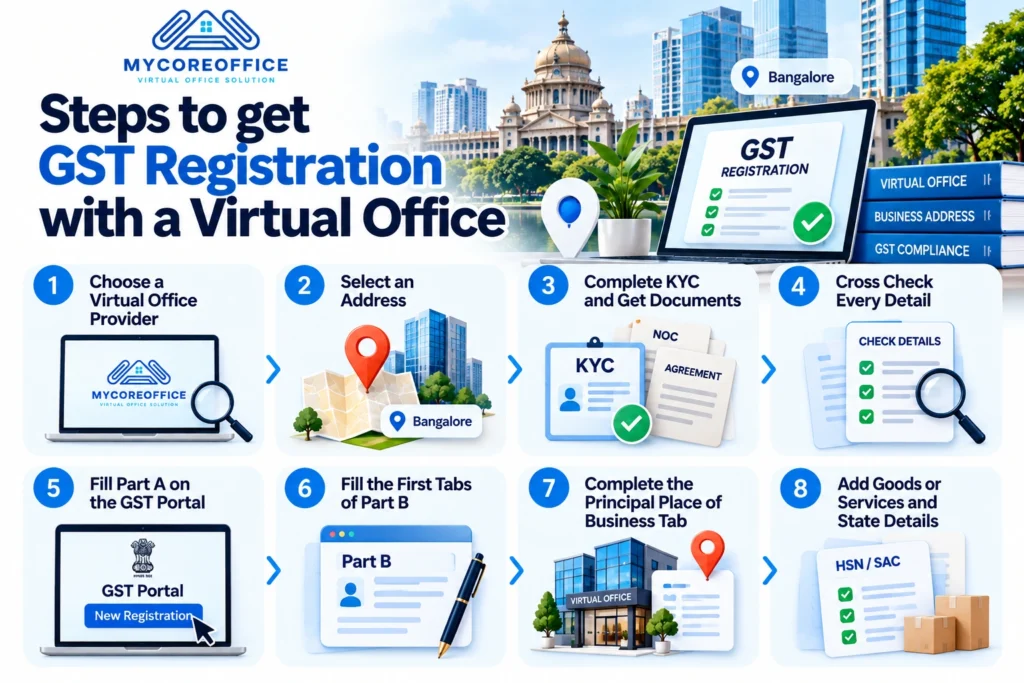
Follow these steps in order. They cover choosing a provider, selecting an address, receiving legal documentation, applying for GST registration, and verification and approval.
Step 1: Choose a virtual office provider for GST
Use the checklist near the end of this guide. Do this before you pay for anything.
Step 2: Select an address
Pick a location that suits your clients and your brand. Your address PIN code decides your tax jurisdiction and, if needed, your biometric centre, so note it now.
Step 3: Complete KYC and receive legal documentation
Most providers use digital KYC and paperless onboarding. Ask how long the document turnaround takes and get the answer in writing. Many providers say a few working days.
Step 4: Cross check every detail
Put the agreement, NOC, ownership proof and your application side by side. Compare the address line, PIN, business name and dates. If you have a company, the address should also match the registered office address on your MCA records. Copy and paste the address from the agreement instead of retyping it.
Step 5: Fill Part A on the GST portal
Go to gst.gov.in and choose New Registration. Enter your legal name exactly as on PAN, state, district, and the email and mobile of your primary authorised signatory. Enter the two OTPs. The portal gives you a Temporary Reference Number, or TRN. If you do not submit within 15 days, the portal deletes your draft.
Step 6: Fill the first tabs of Part B
Add your trade name, constitution, dates and Rule 14A choice in Business Details. Then add promoters or partners and your authorised signatory. The portal usually expects at least two names for companies, LLPs and firms. Companies and LLPs must sign with a digital signature certificate.
Step 7: Complete the Principal Place of Business tab
Enter your virtual office address and PIN. The portal then shows State and Centre jurisdiction options based on that PIN, so choose what appears instead of guessing. Pick the nature of possession that matches your documents, upload your proof, and tick only the business activities you truly run there. For a virtual office that usually means office or sale office work, not a warehouse or factory. Mismatched declarations invite questions.
Step 8: Add goods or services and state details
List up to five HSN or SAC codes for what you sell. In the state tab, copy the electricity board and consumer number from your bill exactly, and add professional tax details if you have them.
Step 9: Choose Aadhaar authentication and submit
Choose Yes for Aadhaar authentication. Submit using your digital signature, EVC or eSign. Your promoters and signatory then get a link by email and SMS, valid for 15 days. The guide says your ARN appears once authentication is complete. You can follow progress under Track Application Status.
Biometric verification in Bangalore: which centre will you visit?
Some applicants must go through biometric Aadhaar authentication at a GST Suvidha Kendra. The portal picks applicants using risk checks. If you get that email, book a slot and visit within 15 days. If you miss the window, or the authentication fails, no ARN is generated.
Karnataka’s notification also says these centres verify original copies of your documents. So bring printed originals of your agreement, NOC and ownership proof, plus your ID.
Here are some examples from Karnataka’s official notification. Check the PIN on your own agreement.
- PIN 560034 and 560103: Kendriya Sadan, 7th Floor, C Wing, Koramangala 3rd Block
- PIN 560100: TTMC Building, 6th Floor, Koramangala
- PIN 560038: TTMC or BMTC Building, Old Airport Road, Domlur
- PIN 560066: 58, HAL 2nd Stage, Defence Colony, 100 Feet Road, Indiranagar
- PIN 560001: BMTC Bus Stand Complex, 2nd Floor, Shivajinagar
That notification dates from September 2024, and the email after you submit names the centre for your case. If you are a director of a private limited company, the official guide lets a promoter use a centre in their home state. Your primary authorised signatory cannot.
How long does GST registration take with a virtual office?
Plan around these windows.
- Documents from your provider: a few working days, so ask for a firm date.
- Your draft: submit within 15 days of getting your TRN.
- Aadhaar link and biometric visit: 15 days each.
- Low risk applications: approval within 7 working days.
- Cases needing physical verification: up to 30 days.
- If an officer sends a REG-03 notice: you get 7 working days to reply, and the officer then has 7 working days to decide.
- Rule 14A: three working days after successful authentication.
Small delays usually come from scans that cannot be read, address mismatches or a missed reply window.
Will a GST officer visit your virtual office?
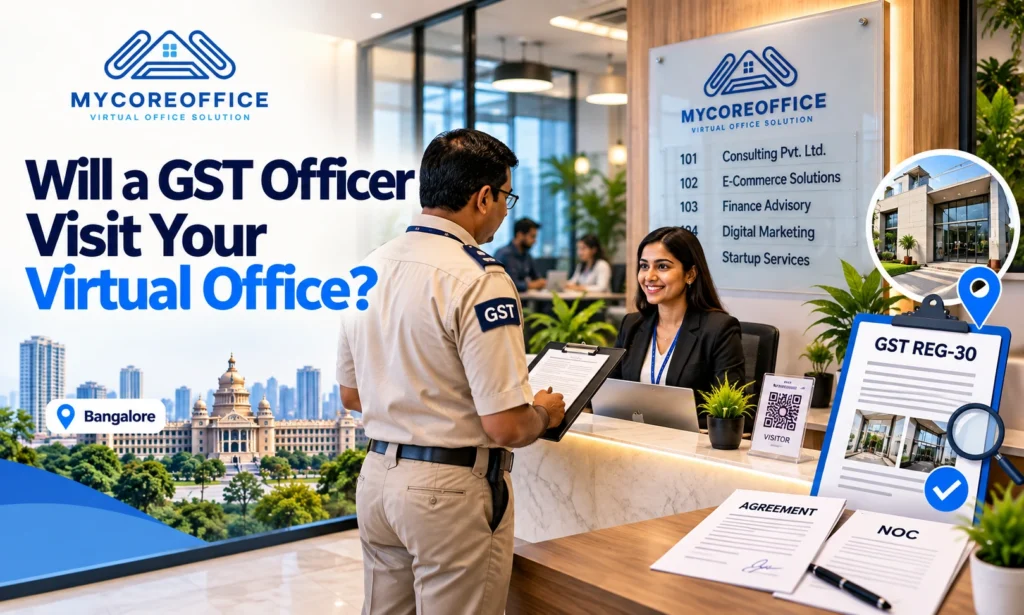
Sometimes. Under CBIC’s instruction, an officer visit happens when the system flags an application as risky even after Aadhaar authentication, when Aadhaar authentication was not done, or when an officer decides a check is needed with senior approval. Officers can also check addresses after your GSTIN is issued.
If a visit happens, the officer records whether your address exists and uploads FORM GST REG-30 with photographs tagged to the location. Under the CGST Rules, this follows Rules 9 and 25. If they cannot find the place, they note that too, and that is when applications get into trouble.
Prepare like this:
- Tell the front desk your company name.
- Ask for a name board or directory listing.
- Keep a copy of your agreement and NOC with someone reachable.
- Choose a staffed commercial business centre, not an empty room or a mailbox.
GST rejection reasons for a virtual office, and how to answer a REG-03 notice
A REG-03 notice is a request for clarification, not a rejection. Officers can send it only for limited reasons: unclear or incomplete documents, an address mismatch or invalid proof, an incomplete address, or a cancelled or suspended GSTIN on the same PAN. Most trouble comes from one of those. For a deeper list, read our guide on [why officers reject virtual office address proofs](INSERT LINK).
Reply in FORM GST REG-04 within 7 working days. If you do not reply, the officer can reject your application in FORM GST REG-05, and you will need to start again.
Here is how to reply:
- Read the notice slowly and answer only what it asks.
- Fix unclear scans and upload clean copies.
- Point to the exact document that answers each question.
- Stay polite and short.
A simple sample:
“Respected Sir or Madam, this is our reply to the notice dated [date] for ARN [number]. Our principal place of business is [full address with PIN], a commercial business centre. We have uploaded the signed consent letter, the rent agreement dated [date] and the electricity bill for [month]. The address matches across all documents and our application. We can share any other document you need. Regards, [name and designation].”
Virtual office as PPOB or APOB, and GST in more than one state
You can use a virtual office as your PPOB when you register for the first time. You can also add it as an APOB through an amendment if you already hold a GSTIN in Karnataka. If you later change your main address, you file a core field amendment.
India needs a separate GSTIN in each state where you register, so a business entering Karnataka from Delhi or Mumbai often needs a state specific GSTIN with a Bangalore address. Rule 14A allows only one registration per PAN in each state, so check with your CA if you plan two locations in Karnataka.
If you sell on Amazon or Flipkart, the marketplace often asks for an additional place of business at the fulfilment centre that holds your stock. Check the marketplace’s current rules before you file.
Many founders also use the same address for company registration, so keep it identical across MCA and GST filings.
How to choose a GST compliant virtual office provider in Bangalore
Ask every provider these questions, including us.
- Which documents will I get, and by which date?
- Who signs my consent, and what ownership proof supports it?
- Is the centre staffed, and does it have signage?
- Will I get originals for a biometric visit?
- Do you help if a REG-03 notice arrives?
- Do you refund me if your document error causes a rejection?
- Are mail handling services, reception support and meeting room access included or extra?
- What does renewal cost?
- Can I speak to real customers, and read reviews?
Transparent pricing and honest customer support are the best signs of credibility.
On cost, the GST portal charges nothing for registration. Advertised virtual office plans in Bangalore run from about ₹600 to ₹1,500 a month. Add stamp paper, a digital signature if you are a company, and any CA fee. A very cheap plan may cover only mailing, so ask what documents it includes. Many centres also let you move up to a desk or cabin later, so your virtual office can grow into affordable office space that fits your team.
If you want a Bangalore address with complete documentation, [talk to MyCoreOffice about a Bangalore virtual office](INSERT LINK).
After you get your GSTIN
Check your certificate. The address, name and PAN must be spelled correctly. Display the certificate and GSTIN at your place of business, and update your invoices, website and marketplace profiles.
Watch your email and the portal. GST notices arrive there, and a missed one can grow into a bigger problem. Put your agreement end date in your calendar. If you change centres, file an amendment before the old agreement ends. Then keep up with your returns, such as GSTR-1 and GSTR-3B.
Frequently asked questions
Can you use a virtual office for GST registration?
Yes. Your address must be real, and your agreement, consent and ownership proof must be valid and match your application.
Is a virtual office legal in India?
Yes. GST has no separate rule for virtual offices. Officers treat them like rented, shared or consent premises.
What documents does a provider need to give me?
A rent or service agreement, a NOC or consent letter, and one ownership proof such as an electricity bill, property tax receipt or khata copy.
Will an officer visit?
Possibly. Visits happen when an application is flagged, Aadhaar authentication is missing, or an officer decides a check is needed.
Can I use a virtual office as APOB?
Yes, through an amendment under your existing GSTIN. Keep documents ready as you would for a PPOB.
How long does it take?
Low risk applications get a decision within 7 working days. Physical verification cases can take up to 30 days.
Why was my application rejected?
The usual causes are mismatched addresses, unclear scans, missing consent or a missed REG-03 reply.
Do I need to visit a GST Suvidha Kendra?
Only if the portal sends you the biometric link. Visit within 15 days.
Can I use Rule 14A?
Yes, if your monthly B2B output tax stays at ₹2.5 lakh or less and you complete Aadhaar authentication.
What happens when my agreement ends?
Renew it before the end date, or file an amendment to change your address in time.
About the founder
Shivani, Founder of MyCoreOffice
Shivani has spent more than a decade in the world of coworking spaces, virtual offices, ecommerce and real estate. She has seen how a small mistake on an address document can hold up a business for weeks, and how a clear, honest process can save founders a lot of stress and money.
She started MyCoreOffice to make that process simpler. Her aim is easy to say and hard to do: give every business, big or small, a credible address and clear guidance, without confusing terms or surprise costs. Today she leads a team that supports businesses across India, and she still cares most about one thing, which is helping you get it right the first time.
About the Author
The https://mycoreoffice.com/About-Us/ helps businesses across India get a proper business address and finish the paperwork that comes with it. We work with startups, freelancers, ecommerce sellers, consultants and growing companies in more than 50 cities, and we support virtual office addresses, GST registration, company registration, coworking space and office space.
We write these guides because we see the same questions every day. Where do I get my documents? Will my address hold up on the GST portal? What happens if an officer visits? We answer them in plain words, check our facts against official sources, and update our guides when the rules change. If you have a question this guide missed, [reach out to us](INSERT LINK). We read every message.
Conclusion
A GST number should not push you into a lease you do not need. As this guide shows, a virtual office in Bangalore can give you a legal, professional business address and a valid GSTIN, as long as your paperwork is real and matches from start to finish.
Keep the simple rules in mind. Ask who signs your NOC. Keep your address, PIN and business name identical on every document. Choose a staffed commercial centre, so an officer visit never catches you off guard. Keep your original documents ready in case the portal sends you to a GST Suvidha Kendra, and reply to any REG-03 notice within 7 working days.
Take it one step at a time. Pick your address, gather your documents, and apply on the GST portal once everything lines up. Most people get stuck because of small mismatches, not big legal problems, and a little care avoids nearly all of them.
If you want a Bangalore address with your documents ready and a team that answers your questions plainly, [talk to MyCoreOffice about a Bangalore virtual office](INSERT LINK). Ask us the tough questions from the provider checklist. We would rather earn your trust than rush your decision
This guide is general information, not legal advice. Confirm your case with a CA or GST practitioner.