
Table of Contents
Summary
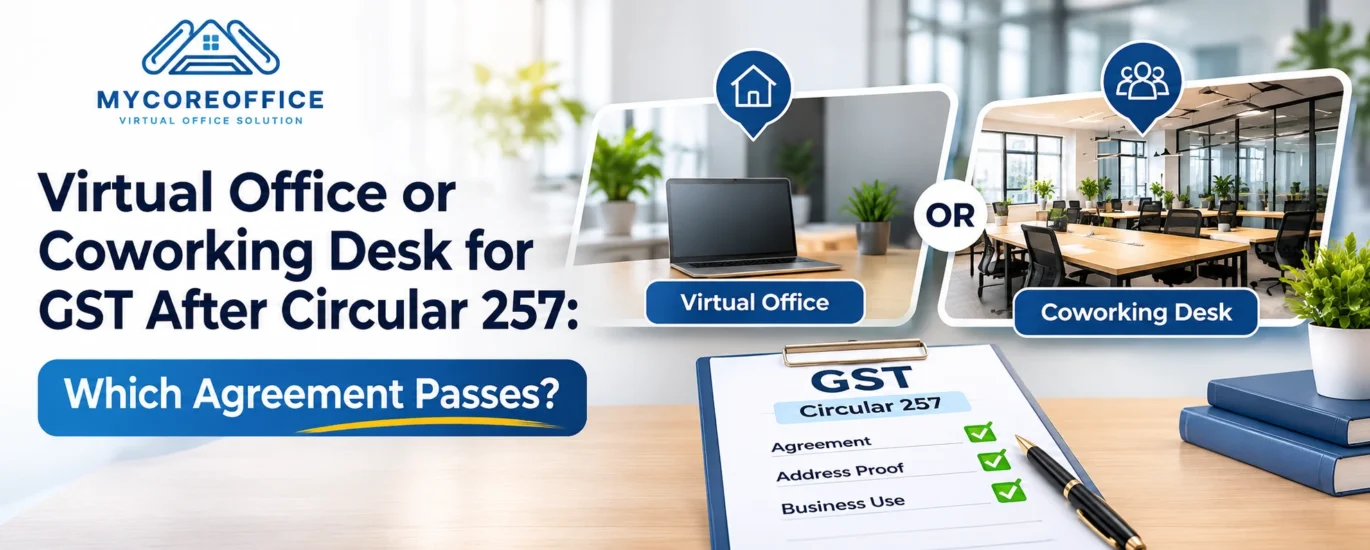
CBIC’s Circular 257/03/2026 GST, dated 26 October 2026, gives coworking users a clear document checklist for GST registration. It does not mention virtual offices at all. The blog explains what a coworking agreement must show, where a virtual office may or may not fit, and what to check with your provider before you pay. The key test is whether your paperwork points to a real, designated space that belongs to you.
Key takeaways
- A coworking desk passes when you upload a membership agreement that shows the agreement period, your specific desk, cabin or suite number, and whether the provider owns or rents the building.
- One extra document is needed. If the provider owns the building, upload its ownership document. If the provider rents it, upload the valid registered lease between the owner and the provider.
- “Designated space” decides everything. The circular’s coworking row applies when you have a clearly designated space. A shared seat with no assigned number does not match that wording on its own.
- Mailing addresses do not qualify. A P.O. Box or courier address is not accepted as a place of business.
- A virtual office sits in a grey zone. The circular never mentions it, and no source I found says which row a typical virtual office pack fits. The practical test is to pick the row that matches your real arrangement and never overstate it.
- The provider’s lease is a risk. Some providers run on unregistered or expired leases. Ask to see the lease and check that it is registered and valid today.
- Check the business address clause. Some coworking templates bar using the address as a business address unless the provider agrees in writing. Get written permission in the agreement.
- Match the address exactly. The unit must be identified, and the address on the portal must read the same as your agreement and ownership proof.
Introduction
Meera is a brand consultant in Hyderabad. (Meera is an example. Meeras worry is real.) Meera wants a GST number without renting an office. So Meera signs up for a plan that gives Meera a business address and an agreement.
Then Meera reads the CBIC circular. The circular talks, about coworking spaces, membership agreements and desk numbers. Meeras plan mentions none of those things.
Does her paperwork still work? That depends on what her agreement actually says. This guide shows you how to read yours, line by line.
The short answer
A coworking desk passes when your membership agreement shows three things: the period of the agreement, the specific desk, cabin or suite given to you, and whether the provider owns the building or rents it. You also upload one more document. That is the provider’s ownership proof if the provider owns the building, or the registered lease if the provider rents it.
A mailing address plan does not fit. A P.O. Box or courier address is not accepted as a place of business.
A virtual office sits in a grey zone. Circular 257 does not mention the words “virtual office”. So the answer depends on what your paperwork truly shows. If your agreement gives you a clearly designated space, the coworking row fits you. If it gives you only an address to receive post, expect trouble.
Do not pick a provider by price alone. Pick the one whose agreement matches the real space you get.
What Circular 257 says about coworking, in plain words
CBIC issued Circular 257/03/2026 GST on 26 October 2026. It tells applicants which documents to upload for each type of premises. It covers owned, rented, family owned, consent based, coworking and SEZ premises.
For coworking, the circular asks you to upload a membership agreement with the provider. That agreement must state the period, the specific suite, cabin or desk number allotted to you, and whether the provider owns the premises or rents them from the property owner.
If the provider rents the building, you add one more paper. That paper is the valid registered lease or rent agreement between the property owner and the provider.
The circular describes the coworking row for applicants who have a “clearly designated space” in the premises. Keep those words in mind. They decide almost everything in this guide.
One more point. The circular is guidance. It does not change the CGST Act or Rules. It tells officers and applicants how to apply the rules already in force. You can read the full text on the CBIC website.
The word that decides everything: designated
Think about what you get when you pay a provider. Providers sell very different products under similar names. Here is how each one lines up with the circular.
| What you buy | Do you get a named space? | How it fits the coworking row |
| A numbered desk, cabin or suite | Yes | Fits, if the agreement names it |
| A shared seat with no number | No | Does not match the designated space wording on its own |
| A mailing address plan | No | No clear row, so expect problems |
| A P.O. Box or courier address | No | Not accepted |
Notice what drives each answer. It is not the price, the building or the brand. It is whether your agreement points to a real space that belongs to you.
Where does a virtual office fit?
This is the question nobody answers clearly, so let us be honest about it.
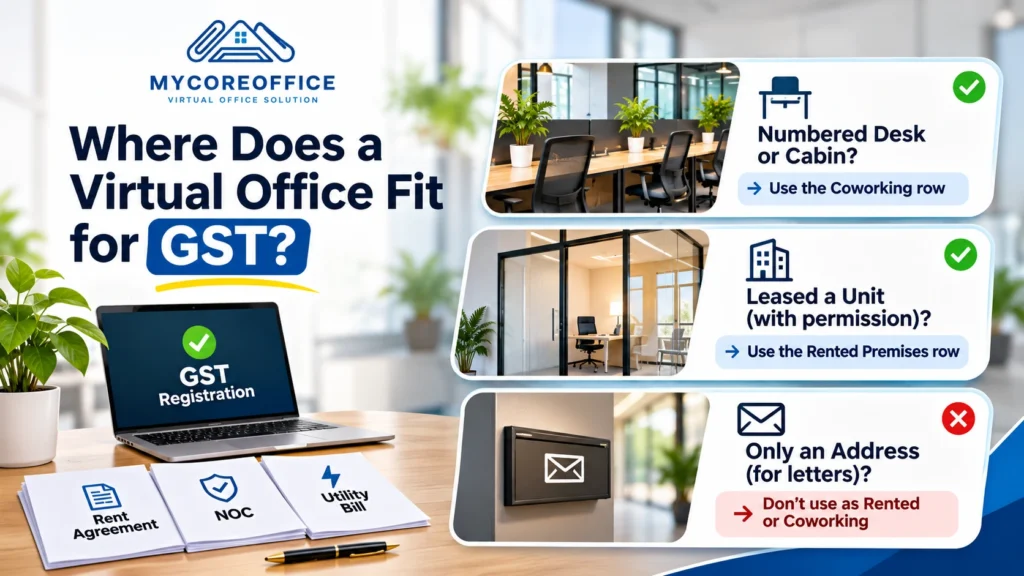
Many virtual office providers give you three papers: a rent agreement, an NOC and a utility bill. The circular has rows for rented premises and for consent based premises. It also has a row for coworking. It never says which row a virtual office belongs to.
So no official source tells you how every officer will read a virtual office pack. We would be guessing if we claimed otherwise.
Here is a practical test that keeps you safe. Pick the row that matches your real arrangement, and do not stretch it.
- If the provider gave you a numbered desk or cabin, use the coworking row and make sure the agreement says so.
- If the provider leased a unit and legally permits you to use it, check that your paperwork says that clearly.
- If you get only an address for letters, do not describe it as rented premises or a coworking desk.
When your papers claim more than you actually have, you invite a notice or a failed visit. When your papers match your reality, you stand on solid ground. For a wider view of how virtual office addresses get accepted or turned down, read our full guide to using a virtual office for GST registration.
Your agreement checklist
Open your agreement and tick each line. The first three come straight from the circular. The rest come from how verification works and from common sense.
- It states the period of the agreement.
- It names your specific desk, cabin or suite number.
- It says whether the provider owns the building or rents it.
- The provider’s name matches the name on the ownership document or lease.
- The address in the agreement reads the same as the address you enter on the GST portal.
- Both sides have signed it, and every page is clear and readable.
- It does not forbid you from using the address as your business address.
Number seven needs a closer look, so here it comes.
The clause many people miss
Some coworking membership templates say the member may not use the address as a business address or registered office unless the provider agrees in writing. One public sample agreement that I found has the rule. That agreement was not, from India so think of it as a pattern to look for not as a rule that applies to every provider.
Still, the risk is practical. If your agreement bars business address use, you may hold a perfect desk and still lack the right to put that address on a GST application. Ask the provider to confirm in the agreement that you may use the space as your principal place of business for GST.
What to ask your provider before you pay
You can learn a lot in five minutes. Ask these questions before you transfer any money.
- Can I see the ownership document, or the registered lease, for this building?
- Is that lease registered, and is it still valid on the day I apply?
- Will my agreement name my exact desk, cabin or suite?
- How many other businesses use the same unit address?
- Who meets the officer if a verification visit happens, and how will you reach me?
- Can I see a sample agreement before I sign?
Pay special attention to the lease. One explainer warns that many providers run on leases that are unregistered or expired. The circular asks for a valid registered lease when the provider rents the building. A provider that cannot show you the lease is handing you a risk.
Match the address exactly
Small spelling differences cause big delays. The circular asks that your address identifies the unit and matches your uploaded proof exactly.
Say your agreement reads “Desk 14, 3rd Floor, Orchid Tower.” If you type “3rd Floor, Orchid Tower” on the portal, you have created a mismatch. Copy the address from your agreement word for word, then check it against the ownership document or lease. Do this before you submit, not after a notice arrives.
What happens on verification day
Some applications go to physical verification. In those cases, the officer reports whether the premises exists and takes GPS photos. The officer then uploads a report in FORM GST REG 30.
For a coworking desk, that means someone must be able to show the officer your space. Keep a copy of your agreement ready, and make sure the provider’s staff know your business name. We cover what to expect from officer visits in more detail in why officers reject virtual office address proofs.
Remember one more thing. Officers can still reject an application for a real mismatch or a wrong document. But they must first send a notice and give you a chance to reply. The 28 October guide explains how the 3 day, 7 day and 30 day timelines work, so we will not repeat them here.
Already have a GST number?
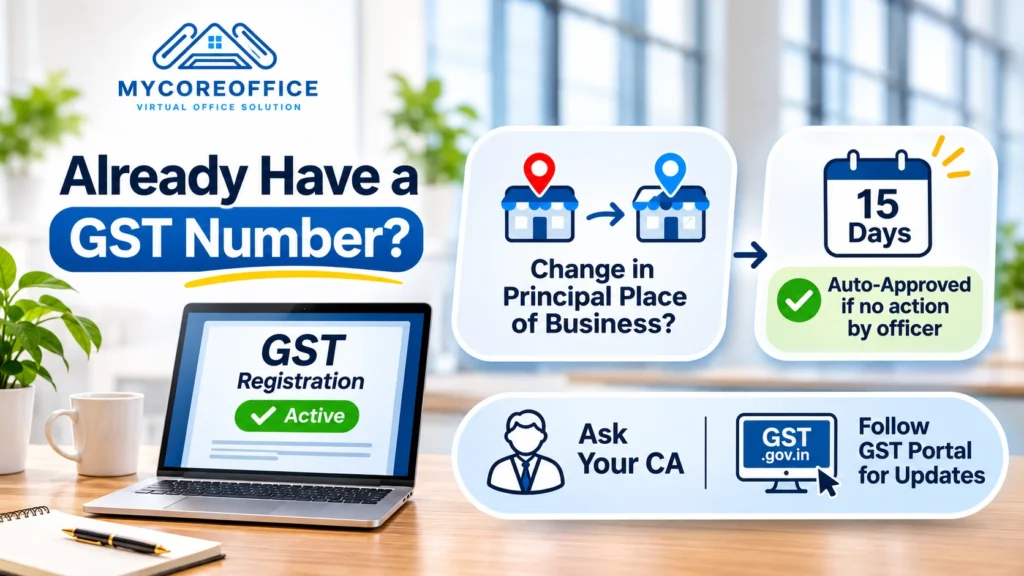
If you registered earlier, you may wonder whether the new document rules reach you. The sources I read do not settle that question for existing registrations, so do not assume anything.
One thing is clearer. A change to your principal place of business still needs an officer to act on it. If the officer does nothing within fifteen days, the change counts as approved. Do not cancel a working registration in a hurry. Ask your CA, and watch for fresh guidance on the GST portal.
Mistakes to avoid
- Treating a mailing address as a coworking desk.
- Signing an agreement that never names your desk or suite.
- Skipping the provider’s lease and trusting a verbal promise.
- Ignoring the clause on business address use.
- Typing the address on the portal slightly differently from the agreement.
- Choosing the cheapest plan without checking what it really gives you.
- Assuming a common practice among providers means the circular accepts it.
Which route fits you?
- You need a place to work now and then, and want a GST address: A designated desk with a named agreement fits best.
- You only need an address for post and registrations: Ask your provider which row your paperwork fits and get the answer in writing. Expect more questions from officers.
- You are comparing two providers: Choose the one that shows you the ownership proof or lease and names your space.
Your checklist before you apply
- Read the circular’s coworking row on the CBIC website.
- Check that the agreement names your space, shows the period, and says who owns the building.
- Get the provider’s ownership document or registered lease.
- Confirm the lease is registered and valid today.
- Make sure the agreement lets you use the address for GST.
- Match the address word for word everywhere.
- Keep your documents clear, complete and readable.
Frequently asked questions
Does Circular 257 allow a virtual office for GST registration?
The circular does not mention virtual offices. It gives a document list for coworking spaces where you receive a designated space. What counts is what your paperwork truly shows.
Is a coworking desk accepted for GST registration?
Yes, when you upload a membership agreement that names your space and shows the period, along with the provider’s ownership document or registered lease.
What must the membership agreement show?
It must show the agreement period, your specific desk, cabin or suite number, and whether the provider owns the building or rents it.
Do I need the provider’s lease?
You need it when the provider rents the building. The circular asks for the valid registered lease between the owner and the provider.
Can I use a P.O. Box or courier address?
No. The circular does not accept either as a place of business.
Is a shared seat enough?
The circular speaks about a designated space. A seat with no assigned number does not match that wording on its own, so ask your provider to name a specific space.
Can an officer still reject my application?
Yes, for a real mismatch or a wrong document. The officer must first send a notice and let you reply.
Does the circular change the GST law?
No. It is guidance on how to apply the existing rules.
Final word
Circular 257 gives coworking users a clear checklist. It does not give virtual office users a clear answer, and nobody should pretend it does. Your best protection is an agreement that tells the truth about your space, backed by the provider’s own papers.
Before you pay anyone, compare their agreement with the checklist above. MyCoreOffice can share its agreement format so you can hold it up against that list. If something does not match, ask us or any provider to fix it in writing first.
This article gives general information and is not legal or tax advice. Rules and officer practice keep changing, so check the latest circular and portal guidance before you file. Last updated: 14 November 2026.